
Announcement
Arion 0.1.5 to 0.1.6: what changed
A second dictation key, polishing that says why it fell back, and copied files as an opt-in in 0.1.5. In 0.1.6, a bar that sends selected text to Claude or ChatGPT, image thumbnails in clipboard history, and steadier paste on Windows and in WeChat.
0.1.5 and 0.1.6 are the two updates since Arion 0.1.4, for Apple silicon Macs and Windows x64. 0.1.5 adds a second dictation key, opens the microphone sooner, explains polishing fallbacks, lets you pin the candidate text color and makes copied files an opt-in. 0.1.6 adds selection actions, a first-run overview and image thumbnails in clipboard history, and fixes paste in slow Windows apps and after copying from WeChat on macOS.
If you are on an earlier version, open Settings › About and click Check for Updates.
A second dictation key (0.1.5)
Settings › Dictation now has a + beside Dictation key. Click it, press the key you want, and either key starts dictation. The second key holds and taps like the first and starts ordinary dictation. − removes it.
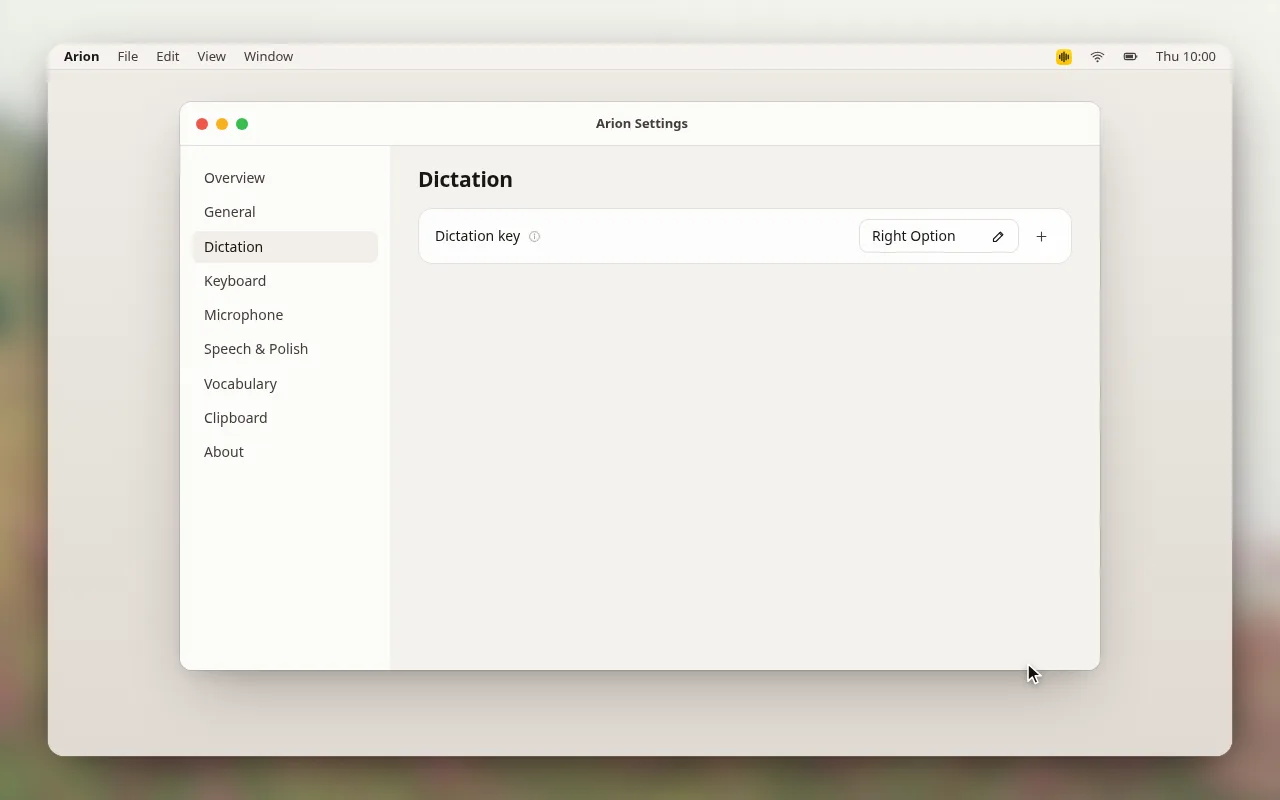
You can add one extra key. A key that another shortcut already uses is rejected.1
The microphone opens first (0.1.5)
When you pressed the key and started talking at once, the first words could fall into setup. Arion now opens the microphone first and queues what you say while it finds the text field and prepares the recognizer, then feeds that audio to the recognizer in order. Thanks to @earmer for the change.
A missing model still ends the session before the microphone opens. If setup fails or you cancel, the queued audio is dropped without being recognized, and so is audio for a password field.2
The same change fixes long drafts in the pill. In a long draft that mixed Chinese and Latin text, the end drifted left of the line's edge, because Arion mixed per-character widths with the width of the shaped line. The end of the draft now stays at the edge.
Polishing says why it fell back (0.1.5)
When cloud polishing cannot be used and Arion inserts the unpolished text, the pill now shows a short note after the dictation completes: what happened and what to do next. Each note appears once per provider, model and kind of problem while Arion runs.
Some models refuse a request with reasoning turned off, including newer Gemini models and gpt-5-mini on OpenRouter. The cloud model page has a new switch, Allow reasoning when required, off by default. When it is on and a model refuses, Arion retries with minimal reasoning, then low, and remembers the level that model accepted. This can make polishing slower for those models only. Thanks to @earmer for this change too.3
Candidate text color (0.1.5)
The keyboard's candidate bar has a Text color setting under Settings › Keyboard. Automatic picks white or black for the highlighted candidate from the Highlight color: white where it keeps 3:1 contrast against the fill, black otherwise. The menu shows which one it chose, such as Automatic (White).
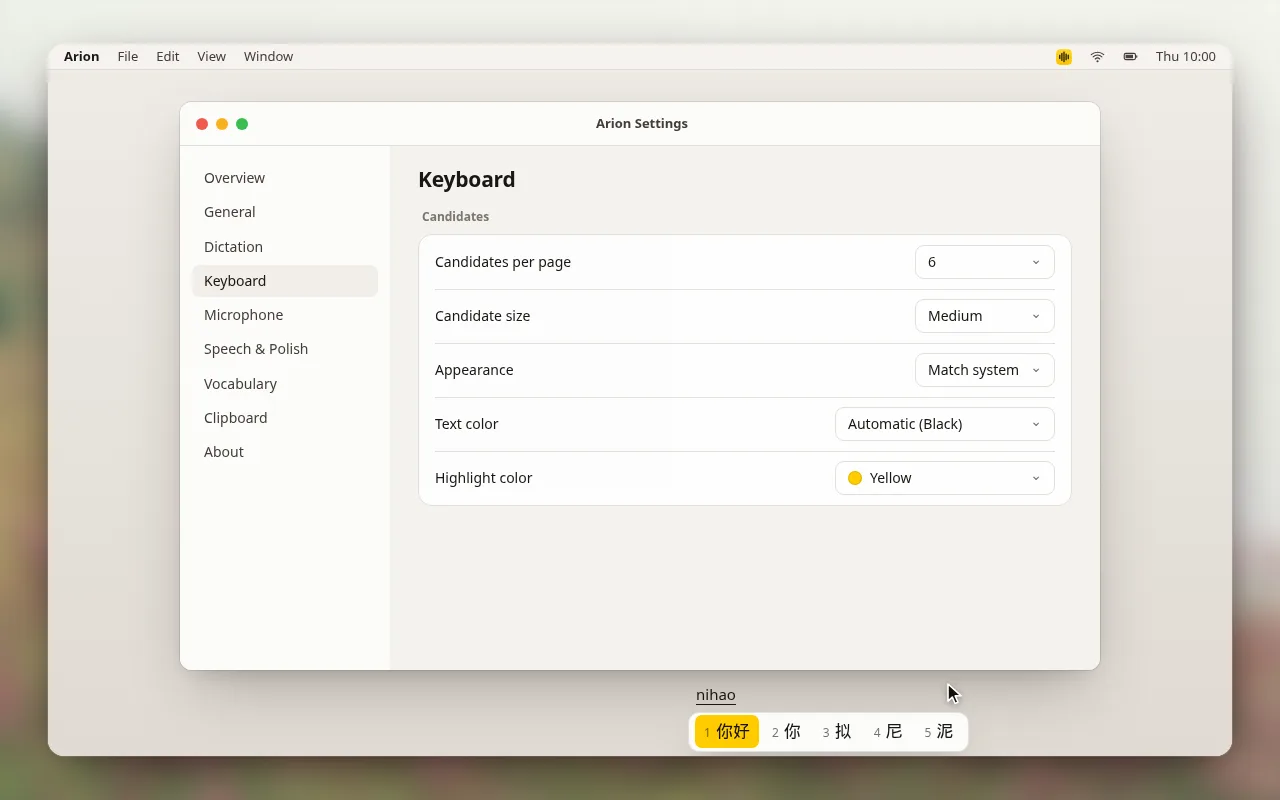
Black and White pin the color in both light and dark appearances. Choosing Automatic or another highlight color clears the pin. Thanks to @cyrus-cai for adding it.4
Copied files are an opt-in (0.1.5)
Clipboard history now records copied files only when you turn on Record copied files in Settings › Clipboard. The switch is off by default, including on profiles from earlier versions, and turning it on asks you to confirm once with Enable file history.
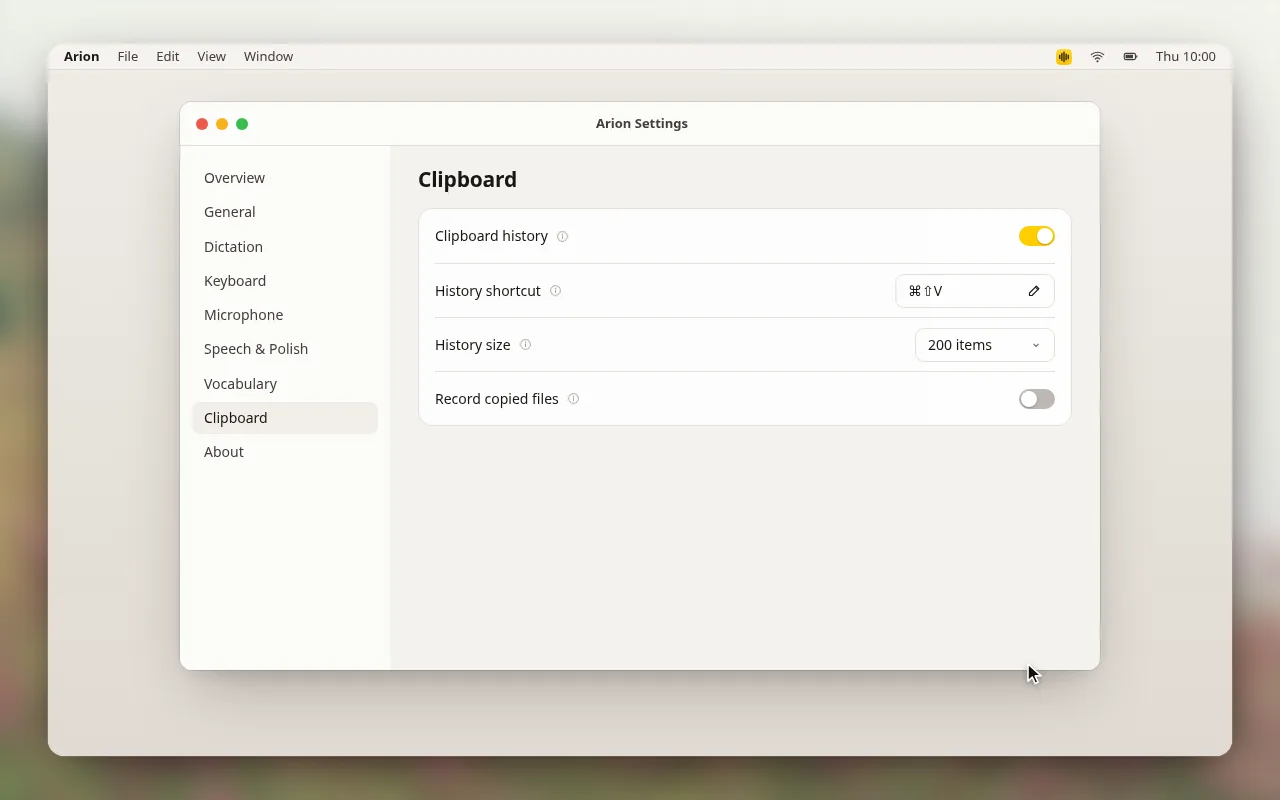
File records you already had stay hidden while the switch is off and return if you turn it back on. History keeps file references, so macOS may ask for access to the folders that hold them. Thanks to @gavi102803 for the change.5
Cleaner Ctrl+V on Windows (0.1.5)
@gialoc668 reported that dictated text did not appear in Feishu and WeChat on Windows 11. One cause was keys still held during the paste: Windows does not release Shift, Alt or the Windows key for a posted Ctrl+V, so the chord could type a stray V or paste nothing. Arion now releases those keys first and posts Left Ctrl+V once. The pill says Pasted for a posted paste, because Arion cannot confirm that the app accepted it.6
Selection actions (0.1.6)
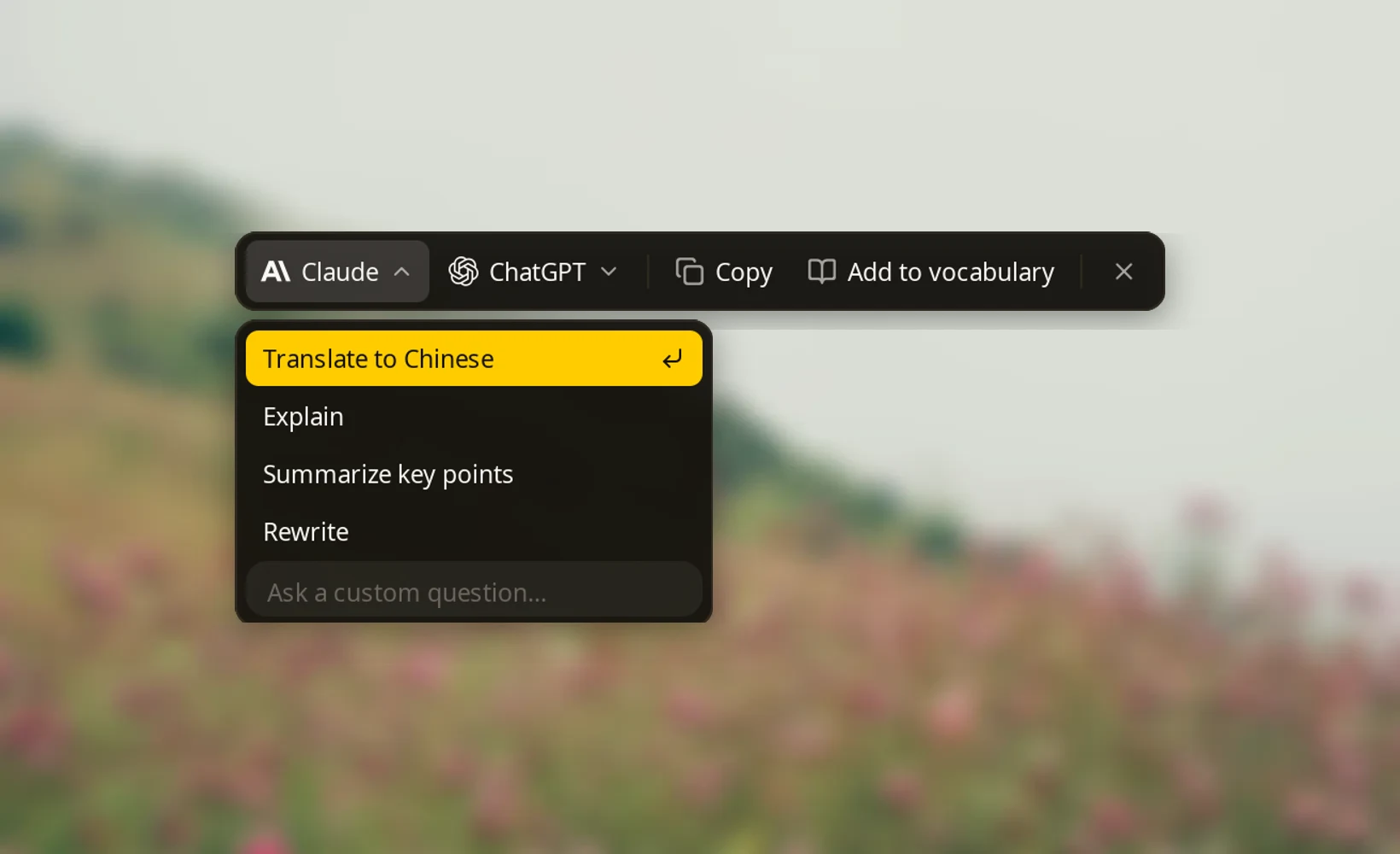
Select text in any app and a small bar appears beside it, with the assistants you enabled, Copy, Add to vocabulary and an X. Rest the pointer on Claude or ChatGPT and its menu opens: Translate to Chinese, Explain, Summarize key points, Rewrite and Ask a custom question…, plus Ask ChatGPT under ChatGPT.
Choosing a prompt opens Claude through claude:// or ChatGPT through codex://, which prefill a local chat with the prompt and your selection and leave sending to you. The prompts are built-in English instructions, and a Claude request is capped at 14,000 characters. Selection actions are off by default. Turn them on at the new last step of setup, Act on selected text, or under Settings › General, where you also choose Claude, ChatGPT or both.
The selection comes directly from Accessibility on macOS and UI Automation on Windows, leaving your clipboard untouched. Password fields are skipped, and the selected text stays out of the logs.7
The X opens a menu to stop the bar: Disable for 1 hour, on the current site, in the current app, or Turn off selection actions.
A first-run overview (0.1.6)
Until your first dictation, the Overview page shows one card with a microphone and the key to hold, followed by the vocabulary card, in place of the totals, heatmap and scenes.
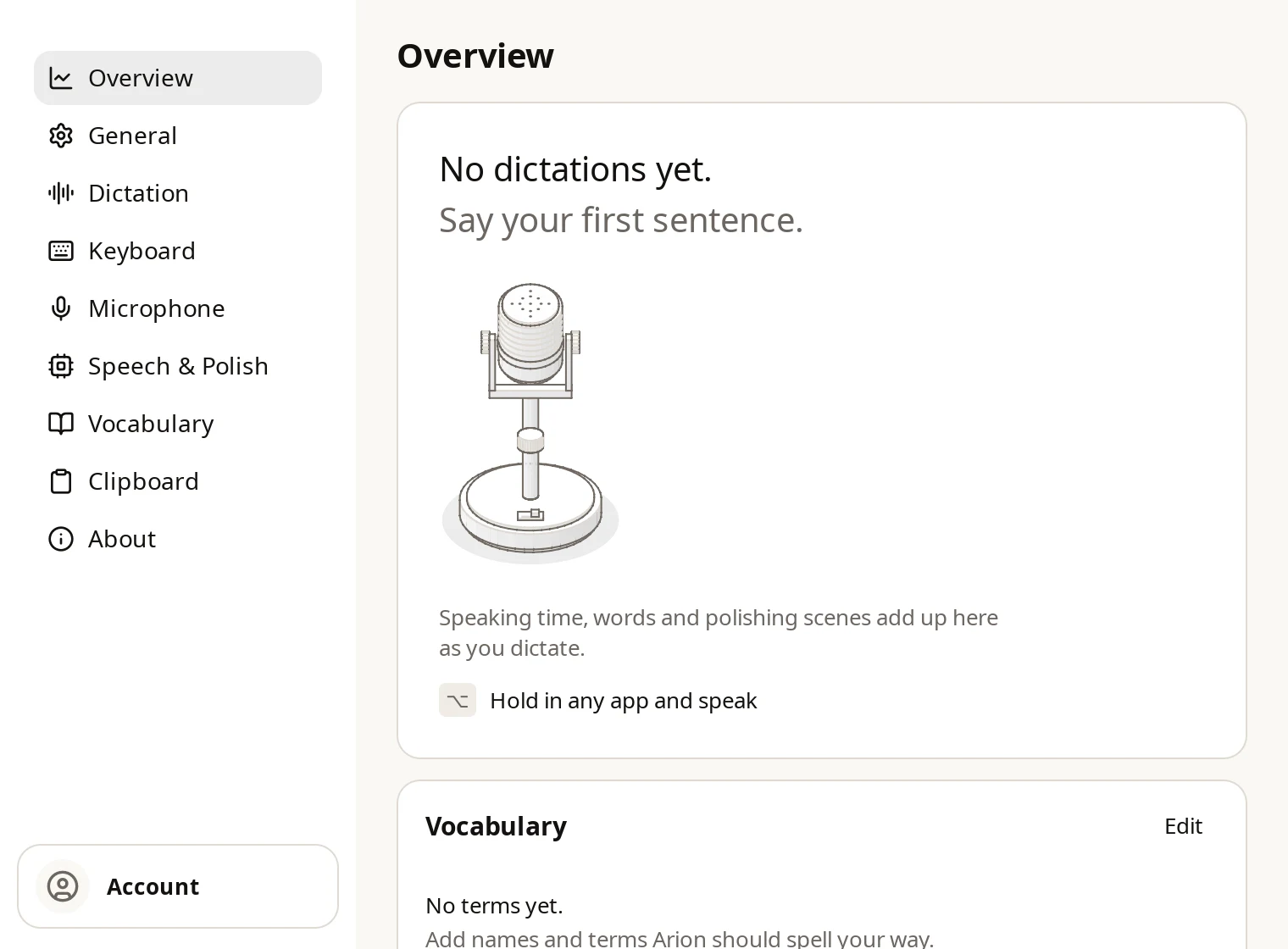
Settings, the menu bar panel and setup also use flatter surfaces in 0.1.6: cards have a hairline border and no shadow, and only menus and popups float.8
Image thumbnails in clipboard history (0.1.6)
A copied PNG, JPEG, GIF, WebP or BMP file now shows a thumbnail beside its name in clipboard history, and resting on it shows the image larger. Thanks to @gavi102803 for adding it.
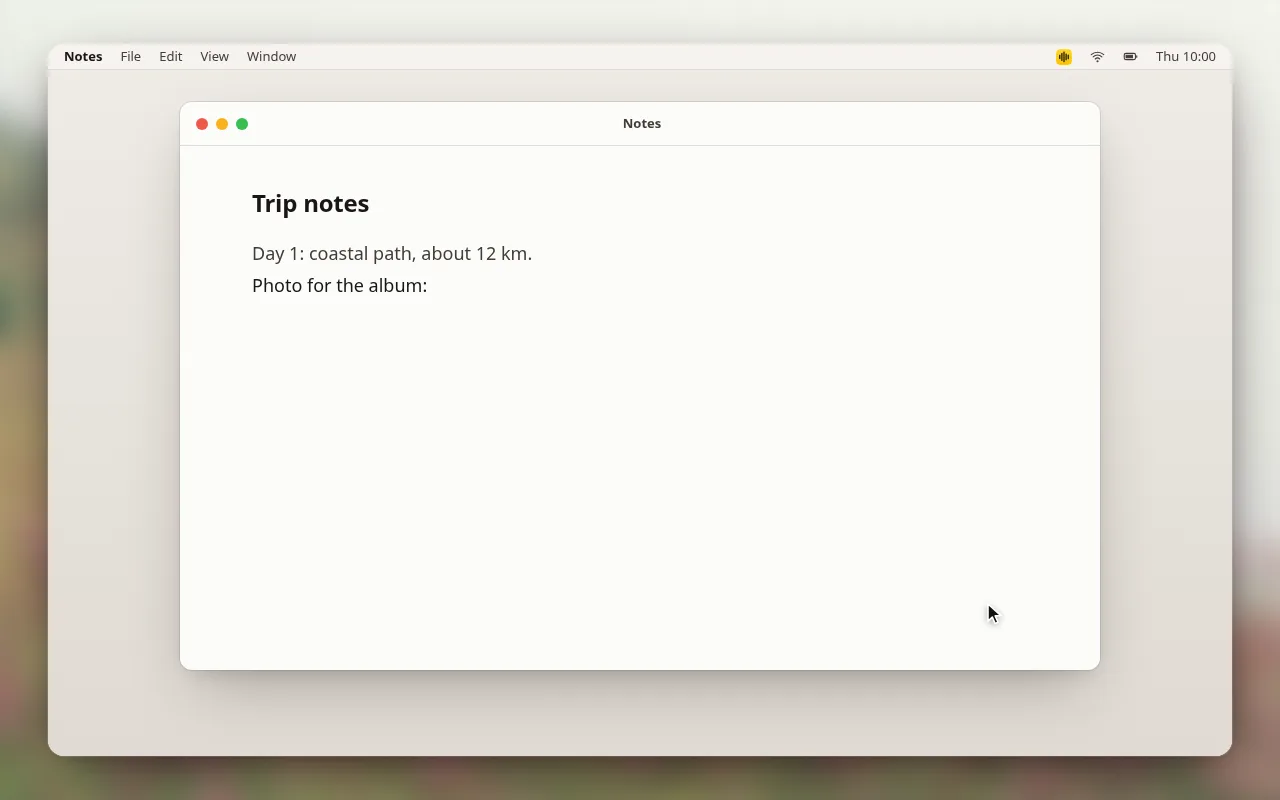
The entry is still a file reference: choosing it pastes the file, as before. An unreadable image stays a plain file row.9
Paste waits for slow Windows apps (0.1.6)
The same Windows report had a second cause. Arion restored your previous clipboard 400 ms after the paste, and an app such as WeChat that read the clipboard later found the old contents: the field stayed empty while the pill said Pasted.
Arion now measures the field before pasting, checks it again after 300 ms and restores the clipboard at 600 ms. If the field has not changed, it checks again 500 ms later and restores at 1100 ms. If no check sees the text arrive, Arion leaves your dictated text on the clipboard and the pill says Copied, so pressing Ctrl+V pastes it. The issue is still open.10
Paste after copying from WeChat on macOS (0.1.6)
After you copied text from a WeChat input box, the next dictation could fail with "Could not paste" and "The clipboard changed or was unavailable." @huwan traced it: WeChat adds two rich-text clipboard types whose names macOS cannot read, and Arion gave up its clipboard snapshot when one type returned no data. Arion now skips those types, and the paste goes through.11
Smaller fixes (0.1.6)
- Saved updates that do not match the installed app, such as one staged before reinstalling from the disk image, are discarded instead of leaving the dictation key and the menu bar button unresponsive.12
- The menu bar panel omits "Ready" and shows a state only while Arion is still getting ready.
The full notes for each version are in the desktop changelog. If something breaks, use Report a problem, open a GitHub issue, or find us on Discord or Feishu.
Contributors
Issue reporters
Footnotes
-
Spec 001: Desktop input (
DSK-08,DSK-A01) and the Start step in the architecture overview. ↩ -
Cloud polishing. Notes name a category of problem and never include your text. ↩
-
Clipboard history, ADR 047: Clipboard file access guidance and Spec 010: Clipboard history (
CLP-09). ↩ -
ADR 003: Shortcut-mode insertion routes and pull request #118. ↩
-
Spec 011: Selection actions (
SEL-02,SEL-03) and ADR 048: Selection action URLs. ↩ -
The Overview section of the design system, pull request #127 and ADR 049: flat and raised materials. ↩
-
Spec 010: Clipboard history (
CLP-06). ↩ -
ADR 003: Shortcut-mode insertion routes and pull request #126. The field's length decides only when the clipboard is restored; it is not proof that the paste landed. ↩